
As an Amazon Associate, I earn from qualifying purchases at no extra cost to you.
LG Refrigerator Error Code 1F and How to Fix It Fast

Sometimes your fridge decides to speak in code like it's a secret agent. You just want a cold drink but you see an LG refrigerator error code 1f blinking on the screen instead. Most people think their fridge is dying when this happens. I've seen this look of panic on many faces over the years. It usually just means your ice maker fan is stuck or frozen.
You should unplug your fridge for about ten minutes to let the computer reset itself. Then you must check the back of the freezer for any thick ice buildup. You can use a hair dryer on a low setting to melt frost near the fan area. If the code stays you might need to replace the small fan motor. Always make sure your freezer door seal is tight so warm air stays out. You can also clean the dust off the back coils to help the air flow better.
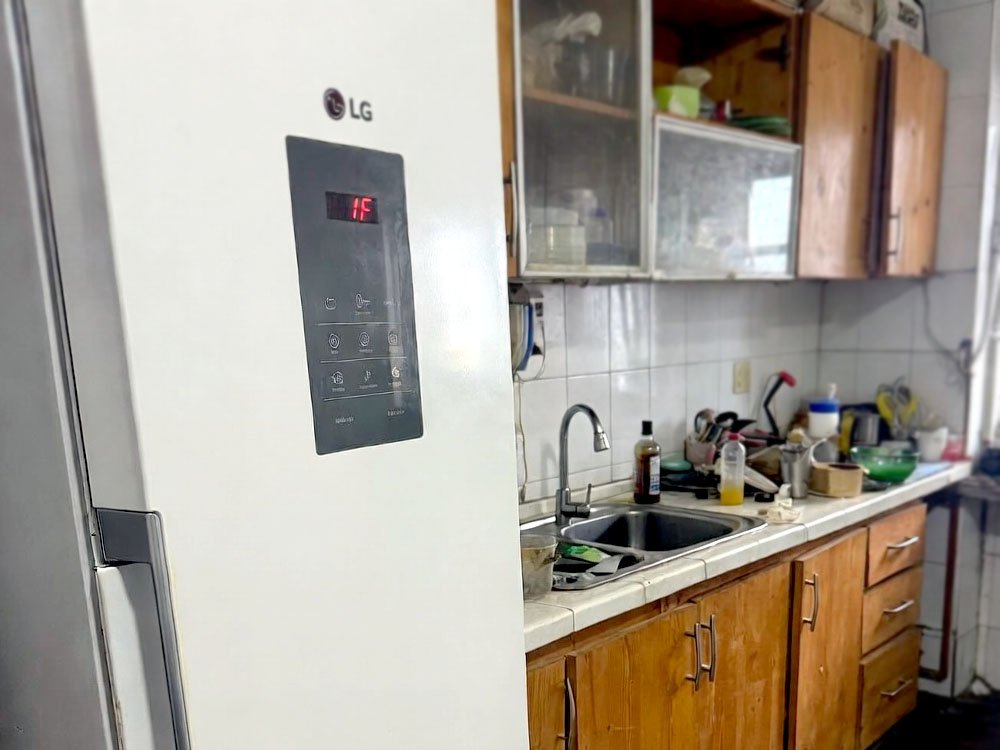
What Does the 1F Error Actually Mean?
This code is all about air. Your fridge has a small fan that blows cold air into the ice maker. If that fan stops spinning the computer gets confused and shows the error. Usually it's not a broken motor but just a block of ice. Ice builds up when the fan can’t move or when the door stays open too long.
I've spent years digging through freezers to find these hidden ice blocks. The fan is tucked away where you can’t see it easily. When it gets stuck it makes a humming sound or stays totally silent. You might notice your ice cubes are melting or sticking together. This is the first sign that the air isn’t moving like it should.
You don’t need to be a pro to handle this. Most of the time a simple defrost does the trick. You just need to give the machine a break so it can melt the internal frost. If the fan is actually dead you’ll need a screwdriver. But let’s try the easy stuff first before you spend any money.
- The fan motor is likely frozen solid.
- Cold air is not reaching the ice tray.
- Your freezer temperature might be too high.
- The door gasket could be leaking air.
- Ice buildup is hitting the fan blades.
- The main control board can’t find the fan.
How to Fix the Error Code 1F the Easy Way
Check the Door Seals for Gaps
You should start by looking at the rubber seal around your freezer door. This seal keeps the cold in and the warm air out. If it's dirty or ripped warm air sneaks inside. That warm air turns into moisture and then turns into ice right on your fan. I always tell my clients to wipe these seals down with warm soapy water every month.
A quick trick is the dollar bill test. Close the door on a dollar bill and try to pull it out. If it slides out easily your seal is too loose. You can sometimes fix a crushed seal by using a hair dryer to soften the rubber. Once it’s warm you can pull it back into shape with your fingers. This saves you from buying a whole new gasket.
Make sure nothing is blocking the door from closing all the way. Sometimes a stray frozen pea or a bulky box of pizza is the real villain. If the door stays open even a tiny bit the fan will freeze up in hours. Keep the seal clean and your fridge will stay happy and ice free.
- Clean the rubber with a soft cloth.
- Look for cracks or hard spots in the seal.
- Check if the fridge is leveled properly.
- Remove any food blocking the door path.
Use the Manual Defrost Method
This is my favorite secret because it costs zero dollars. You just turn the fridge off and let nature do the work. Unplug the power cord and open the freezer doors wide. Put some towels down on the floor to catch the dripping water. You should wait at least eight to twelve hours for a full melt.
I know it's a pain to move your food to a cooler. But this is the only way to melt ice deep inside the plastic walls. A hair dryer helps but it can’t reach the hidden corners like a full defrost can. If you see water pooling in the bottom you know it’s working. This clears the airway so the fan can spin again.
After the wait plug it back in and listen. You should hear the fan start to hum after a few minutes. If the code is gone you just saved yourself a hundred dollars for a service call. This simple reset fixes about eighty percent of the units I visit. It's the oldest trick in the book for a reason.
- Keep the freezer doors open all night.
- Place old towels to soak up melting ice.
- Move perishable food to a portable cooler.
- Wait for the fridge to reach room temperature.
Look for Ice Around the Fan
You can find the fan behind the back panel inside your freezer. You will need to take out the shelves and the ice bin first. There are usually a few screws holding the plastic cover in place. Once you pop that cover off you will see the small circular fan. If you see white frost everywhere that is your problem.
Don’t go poking at the ice with a knife or a screwdriver. You might pop a hole in the cooling lines and then the fridge is ruined. Instead use a steamer or a bowl of hot water nearby to loosen the frost. I like to use a soft brush to clear away the slush once it gets soft. Make sure the fan blades can spin freely with a gentle touch.
Sometimes the ice is hidden behind the fan motor itself. You should feel around the back to make sure the drain hole isn’t plugged up either. If water can’t drain out it just turns back into ice. A clear path means the air can flow and the error stays away. This is the “hands-on” part that really solves the issue long term.
- Remove all freezer shelves and bins.
- Unscrew the back plastic wall panel carefully.
- Check if the fan blades are bent.
- Clear ice away from the small motor.
Test the Fan Motor Power
If the ice is gone but the code stays you need to check the power. The fridge sends a small amount of electricity to that fan. Sometimes the wires get loose or the plug gets wet and corrodes. You should look at the wire harness to see if any pins look burnt or rusty. I've seen many fans fail just because a wire was pinched.
You can try to spin the fan with your finger while the fridge is on. Be very careful not to hurt yourself. If it feels stiff or crunchy the motor bearings are shot. A good fan should spin very smoothly with almost no effort. If it stops immediately after you flick it then it’s time for a new one.
Buying a new fan is actually pretty cheap and easy to install. You just unplug the old one and clip the new one into the plastic housing. Make sure you get the exact part number for your specific LG model. Most fans just have two or three wires and a simple plastic clip. It's a ten minute job that feels very satisfying.
- Inspect the wire clips for any damage.
- Flick the fan to see if it spins.
- Order a part based on your model number.
- Ensure the fridge is unplugged during testing.
Clean the Back Condenser Coils
Most people forget that the back of the fridge needs to breathe too. If the coils are covered in pet hair and dust the fridge works too hard. This extra heat can cause the internal computer to glitch out. I always pull the fridge out and vacuum the back every six months. It's a dusty job but it keeps the motor cool.
When the fridge gets too hot it tries to run the fans at max speed. This can lead to more ice buildup inside the freezer compartments. You should use a long brush to get between the metal fins on the bottom. If you have a dog or cat you will be shocked at how much fur is back there. It's like a blanket that’s choking your appliance.
Once the coils are clean the whole system runs more efficiently. You will notice the fridge stays quieter and the ice maker works faster. A clean fridge rarely throws error codes because the sensors aren’t under stress. This is the best way to prevent the problem from ever coming back again. It's simple maintenance that makes a huge difference.
- Pull the fridge away from the wall.
- Vacuum the dust off the metal coils.
- Use a brush for the hard spots.
- Check that the compressor fan is spinning.
Reset the Main Control Board
The control board is the brain of your LG refrigerator. Sometimes the brain just gets a little confused and needs a fresh start. You can do a “hard reset” by leaving the fridge unplugged for thirty minutes. This drains all the electricity from the tiny parts on the board. When you plug it back in the system starts from scratch.
Some models have a small reset button on the main board itself. You usually find this board behind a metal plate on the back of the fridge. I don’t recommend opening that unless you’re comfortable with electronics. Just the power cord trick is usually enough to clear a “ghost” error code. It's like restarting your phone when it freezes up.
If you've tried everything and the code 1F is still there the board might be bad. But don’t jump to that conclusion right away. Boards are expensive and they rarely break compared to fans. Always double check your fan and your defrosting before you blame the brain. A little patience goes a long way with these smart machines.
- Unplug the power for thirty minutes.
- Check for a reset button on the board.
- Listen for a beep when you plug it in.
- Ensure all wire connections are tight.
Why Does Ice Keep Building Up?
Ice is the main enemy of your fridge’s air system. It usually happens because moisture gets inside where it doesn’t belong. Every time you open the door you let in a little bit of humid air. If you live in a very humid place this happens even faster. The fridge tries to freeze that moisture and it sticks to the coldest thing it finds.
The coldest thing is usually the evaporator or the ice maker fan. I often find that people leave their freezer door slightly cracked without knowing it. Or maybe the kids didn’t push the drawer all the way shut. Even a tiny gap will create a mountain of frost in just a few days. You should always listen for that “thud” when the door closes.
Another reason is a clogged defrost drain. There is a little hole that lets melted water escape to a pan under the fridge. If that hole gets plugged with a piece of food or ice the water overflows. Then it freezes into a big sheet on the floor of your freezer. This blocks the air and causes your fan to stop.
- The door was left open too long.
- High humidity in your kitchen.
- The defrost drain hole is clogged.
- A torn door gasket is letting air in.
- The fridge is pushed too close to the wall.
- Too much food is blocking the air vents.
Final Thoughts
You can definitely handle this repair on your own. Most of the time the lg refrigerator error code 1f is just a sign that your fridge needs a little cleaning or a long defrost. Don’t be afraid to take things apart slowly and look for that ice. You are smarter than your fridge and you have the tools to fix it. Just take your time and stay safe.
| Part Name | Possible Issue | Easy Fix | Cost Estimate |
| Ice Maker Fan | Frozen or stuck | Manual defrost | $0 – $50 |
| Door Gasket | Ripped or dirty | Clean or replace | $0 – $75 |
| Drain Tube | Blocked with ice | Pour hot water | $0 |
| Control Board | Software glitch | Hard power reset | $0 |
| Condenser Coils | Too much dust | Vacuum clean | $0 |
Frequently Asked Questions (FAQs)
Is it safe to use a hair dryer to melt ice?
Yes you can use a hair dryer but you must be very careful. Only use the low heat setting and keep the dryer moving at all times. If you hold it in one spot for too long you might melt the plastic walls of your freezer. I prefer using a steamer or just letting it melt naturally to stay safe.
Can I keep my food in the fridge while I defrost?
It is not a good idea to keep food inside during a full defrost. Your fridge needs to be off for several hours to melt the internal ice blocks. Milk and meat will spoil if the temperature rises too much. You should move everything to a cooler with plenty of ice to keep it fresh while you work.
Do I need to call a plumber for this error?
No a plumber handles water pipes and sinks. This error is an electrical or air flow issue inside the appliance. You would need an appliance repair person if you can’t fix it yourself. But most of the time you can solve this with simple cleaning and defrosting without calling anyone at all.
Is the 1F error the same as the IF error?
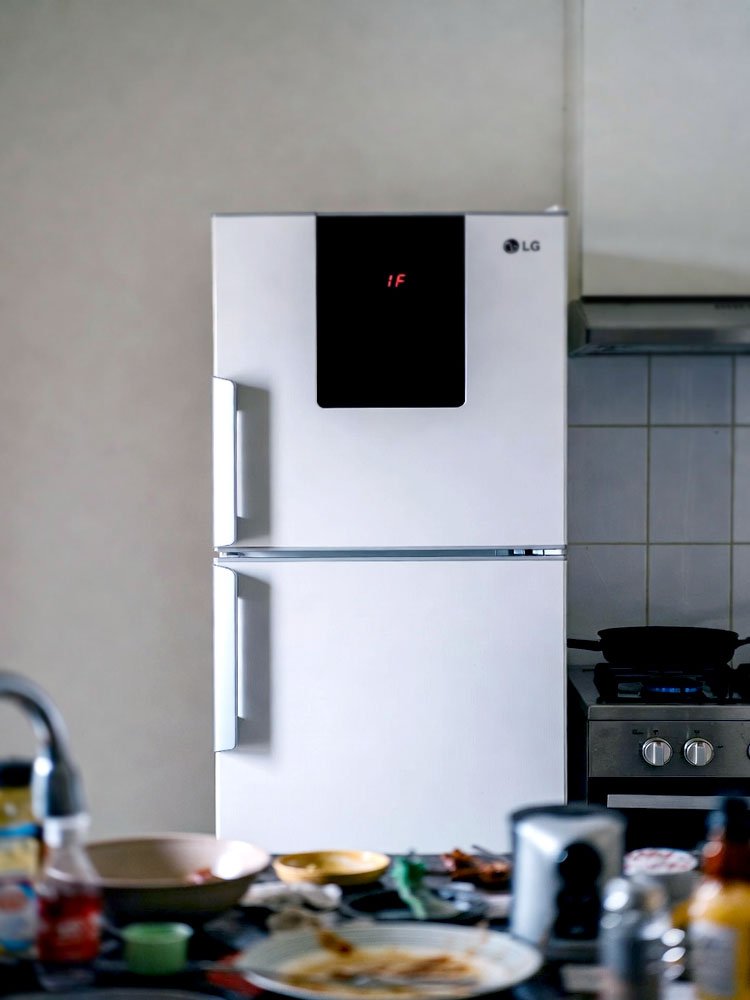
Yes they are actually the same code. On the LG digital display the letter “I” and the number “1” look exactly the same. Both codes point to the exact same problem with the ice maker fan. So if you see either one you should follow the same steps to clear the ice and check the fan.
Can a dirty filter cause the 1F error?
No the water filter does not cause this specific air flow error. The filter only affects the taste of your water and the speed of the dispenser. However it is still a good idea to change it every six months. While you are fixing the fan you might as well put in a fresh filter to keep everything clean.
Do I have to replace the fan motor every time?
You usually don’t have to buy a new motor. Most fans start working again once the ice is melted away. You should only replace the motor if it still won’t spin after a full defrost. If you hear a grinding noise coming from the fan then it is definitely time to get a new part.
Can I reset the code from the front panel?
There is no “hidden” button on the front screen to clear this code. The only way to make the error go away is to fix the underlying problem. Once the fan starts spinning at the right speed the computer will stop showing the code automatically. A power reset can clear it briefly but it will come back if the ice stays.
Is this a common problem for LG fridges?
Yes this is one of the most common issues people have with modern French door models. Because the ice maker is in the door it has to work harder to stay cold. This design makes it easier for moisture to get in and freeze the fan. Regular cleaning and checking your seals will help prevent this from happening to your unit.
