
As an Amazon Associate, I earn from qualifying purchases at no extra cost to you.
LG Refrigerator Error Code CF E and How to Fix it Yourself

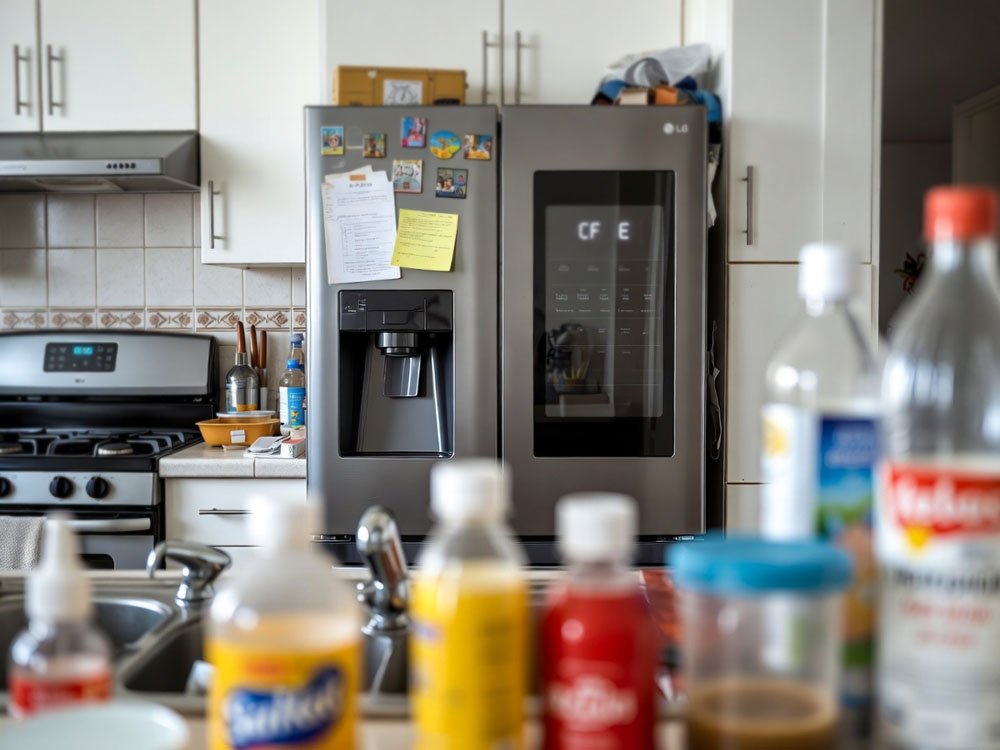
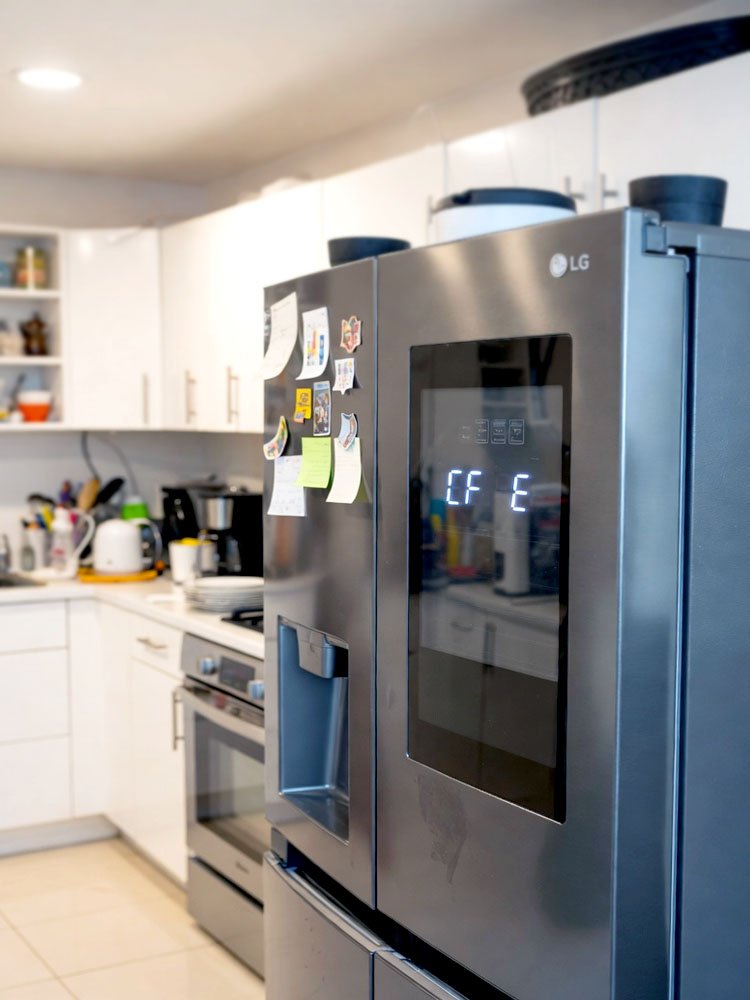
Every repair tech knows that a blinking screen usually means a simple fix is hiding behind a scary message. It’s funny how a tiny bit of dust can make a fancy machine act like it’s dying. You might see the lg refrigerator error code cf e on your door today. This code just means your cooling fan has a small problem.
You should first unplug the power for ten minutes to reset the computer brain inside. Then you must move the fridge away from the wall to check the back panel for dust or pet hair. You need to unscrew the metal cover to find the condenser fan near the compressor. Check if a stray grape or a toy is blocking the blades from spinning. Clean the area with a vacuum or a soft brush to help the air flow. If the fan still won’t turn after you plug it back in, you might need to buy a new fan motor.
Why Does My Fridge Show the LG Refrigerator Error Code CF E?
This error code is all about the “C” which stands for the condenser fan. This fan lives at the bottom of your fridge near the floor. Its job is to blow air across the hot coils to keep the system cool. When the fan stops spinning, the fridge gets too hot. The computer sees the fan isn’t moving and shows you this message to save the motor from burning out.
Most of the time, the fan isn’t actually broken or dead. It usually just gets stuck because of dirt or something caught in the blades. Since this fan is so close to the floor, it sucks up everything like a vacuum. Dog hair and thick dust are the biggest enemies here. Sometimes the wires just wiggle loose from all the vibrating while the fridge runs.
If you ignore this code, your fridge will stop making things cold. The compressor will work too hard and might eventually break forever. You can usually fix this by just cleaning the area or clicking a wire back into place. It's a very common issue that happens to almost every fridge after a few years of hard work.
- The fan blades are physically blocked by debris.
- The fan motor has reached the end of its life.
- Dust buildup is causing the motor to overheat and stop.
- A wire connector has come loose due to vibrations.
- The main control board isn’t sending power to the fan.
- The fridge is too close to the wall for air.
How to Fix the Cooling Problem and Save Your Food
Start with a Hard Power Reset
You should always start with the easiest trick in the book. Unplug your fridge from the wall outlet and leave it alone for a while. This lets the electricity drain out of the control board. It’s like giving your fridge a short nap so it can forget the error. Sometimes the software just gets confused and needs a fresh start to work right again.
While the power is off, you can’t hear the fans or the hum. This is a good time to let the motor cool down if it was struggling. Many people find that the code disappears after they plug it back in. If the code comes back after an hour, you know the problem is real. This step saves you from taking things apart if it was just a tiny glitch.
I’ve seen many folks call a repairman for a simple glitch. You can save a lot of money by trying this ten-minute wait first. It doesn’t cost a cent and it works more often than you think. Just make sure the plug is pushed in all the way when you’re done. A loose plug can cause all sorts of weird ghost codes on your screen.
- Pull the plug out of the wall completely.
- Wait at least ten to fifteen minutes for a reset.
- Keep the doors closed to keep the cold air inside.
- Plug it back in and listen for the fan hum.
Clean the Dust from the Bottom
You need to pull the fridge away from the wall to see the back. Most people never clean back there, so it’s probably very dusty. You will see a metal or plastic cover at the bottom with some screws. Take those screws out and set them in a safe bowl so you don’t lose them. Now you can see the fan and the coils hiding behind that panel.
Use a vacuum with a long hose to suck up all the grey fuzz. Be very gentle around the thin metal fins so you don’t bend them. If the fan is covered in hair, the motor has to work twice as hard to spin. This heat is what triggers the sensor to throw that annoying code on your display. A clean fridge is a happy fridge that lasts a long time.
I always tell my friends to do this every year. It's the best way to keep your electric bill low and your food fresh. If you have pets, you should probably do this every six months. You’ll be shocked at how much fur a fridge can eat. This simple cleaning fixes about half of the fan errors I see in the field.
- Remove the back bottom panel with a screwdriver.
- Use a soft brush to loosen the thick dust.
- Vacuum the coils and the fan blades thoroughly.
- Avoid using water or wet cloths on the motor.
Check for Blocks in the Fan Blades
Sometimes a piece of plastic or a small pebble gets stuck in the fan. Reach in and try to spin the fan blades with your finger. They should move very easily without any clicking sounds. If the fan feels stiff or won’t move, something is definitely holding it back. You might find a fallen label or a bit of packing foam from when the fridge was new.
If the fan spins but feels “crunchy,” the bearings might be going bad. This happens when the grease inside the motor dries up after years of spinning. You can’t really oil these tiny motors, so a stiff fan usually means a replacement. However, most of the time you just need to pull out a stray object. Look closely at the base of the fan for any hidden strings or hair.
I once found a toy soldier stuck in a fan that caused this exact code. The owner thought the fridge was toast, but it was just a plastic toy. Always look for the simple stuff before you start buying expensive parts. A clear path for the blades is the only way the fan can do its job. Make sure the wires aren’t leaning against the blades either.
- Spin the blades manually to check for smooth motion.
- Remove any trash or objects caught in the housing.
- Check if the fan shroud is bent or touching blades.
- Look for ice buildup if your model is older.
Inspect the Wire Connections
You should look at the wires leading to the fan motor next. Sometimes these little plastic clips don’t stay tight. Vibrations from the fridge running can cause them to slide apart just a tiny bit. If the connection is loose, the motor won’t get the juice it needs to spin. Just push the plastic connectors together until you hear a small click.
Check the wires for any signs of chewing if you have mice in your area. Small animals love the warmth of the fridge motor and might nibble on the colorful wires. If you see bare copper or bite marks, that is your big problem. You can usually fix a small break with electrical tape or a new wire nut. Just make sure the power is still off while you touch them.
I always give the wires a little tug to make sure they are solid. A loose wire can work one minute and stop the next, which is very frustrating. This “on and off” problem is a classic sign of a bad plug. If the wires look burnt or melted, you have a bigger electrical issue. But usually, it’s just a plug that needs a good squeeze.
- Pull and push the plastic wire clips together.
- Check for frayed or broken wires near the motor.
- Look for any black burn marks on the connectors.
- Ensure the wires are tucked away from moving parts.
Test the Fan Motor for Power
If everything is clean and plugged in but it still won’t spin, you need to test it. You can use a small tool called a multimeter to see if power is reaching the fan. Set the tool to measure volts and touch the probes to the wire ends. If the fridge is on and trying to cool, you should see a reading. This tells you the fridge is doing its part.
If there is power but no spinning, the motor itself is dead. This is the point where you should order a new fan motor online. They are usually not very expensive and easy to swap out with just a few screws. If there is no power at all, the problem might be the big green circuit board. That is a bit more complex, but it’s much rarer than a dead fan.
Don’t be scared of the testing part. It’s just like checking if a battery is still good for your remote. Most fan motors for these fridges are standard parts you can find easily. If you decide to replace it, take a photo of the wires first. This way you will know exactly where they go when the new part arrives in the mail.
- Use a multimeter to check for voltage at the plug.
- Compare your reading to the sticker on the motor.
- Order a new motor if power is present but it stays still.
- Check the fuse on the main board if there is no power.
Put it all Back Together Properly
Once you finish the fix, you need to button everything up tight. Put the metal cover back on and tighten the screws. Don’t leave the cover off because it helps direct the air across the coils. Without that panel, the fan just blows air everywhere instead of where it’s needed. This can lead to the fridge running too long and getting loud.
Push the fridge back into its spot but leave a little gap. You should leave about two inches of space between the fridge and the wall. This gives the fan enough room to breathe and dump the heat out. If you cram it too tight against the wall, the error might come back soon. Your fridge needs that air flow to stay healthy and keep your milk cold.
Lastly, plug the power cord back in and wait for the screen to light up. It might take a few minutes for the fan to start spinning as the fridge does a self-check. Listen closely for the soft whirring sound of the fan. If the display stays clear, you just saved yourself a few hundred bucks. Give yourself a pat on the back for a job well done.
- Screw the back panel on securely to guide air flow.
- Keep a two-inch gap between the fridge and the wall.
- Wait a few minutes for the system to start the fan.
- Monitor the fridge for the next hour to ensure cooling.
What if the Code Stays on the Screen?
If you tried everything and the light is still blinking, don’t panic. Sometimes the error stays in the memory even after the fix is done. You might need to press a combination of buttons on the door to clear it manually. Usually, holding the “Freezer” and “Refrigerator” buttons at the same time for five seconds does the trick. Check your manual to see the specific secret buttons for your model.
If the code persists, the main control board might be the culprit. The board is like the brain, and if a tiny part of it breaks, it can’t talk to the fan. This is less common but it does happen after power surges or storms. You can usually see a burnt spot on the board if you look closely. Replacing the board is just as easy as the fan, as it mostly involves unplugging colorful wires.
Sometimes a secondary sensor is the real liar. There is a sensor that tells the board if the fan is actually moving. If that sensor is dirty or wet, it might send a false signal. Most people just replace the whole fan assembly because the sensor is built into it. This ensures you get a fresh start with all new parts in that area.
- Try the manual button reset on the front display.
- Check for a blown fuse on the main circuit board.
- Look for moisture or water dripping on the fan wires.
- Verify that the door switches are working correctly.
- Check if the evaporator fan inside the freezer is also quiet.
- Call a pro if you suspect the main computer is dead.
Final Thoughts
You can definitely handle the lg refrigerator error code cf e without losing your cool. Most fridge problems look much bigger than they really are. By following these steps, you'll have a frosty fridge and a full wallet. Just remember to keep it clean and give it some space to breathe. You’ve got this, so go grab your screwdriver and get to work.
| Step | Action | Time Needed | Difficulty |
| 1 | Power Reset | 10 Minutes | Very Easy |
| 2 | Pull Fridge Out | 5 Minutes | Medium |
| 3 | Remove Back Panel | 5 Minutes | Easy |
| 4 | Clean Coils/Fan | 15 Minutes | Easy |
| 5 | Check Connections | 5 Minutes | Easy |
| 6 | Replace Fan Motor | 30 Minutes | Medium |
Frequently Asked Questions (FAQs)
Is it safe to keep my food in the fridge with this code?
You should move your milk and meat to a cooler if the fridge feels warm. The fan error means the fridge can’t dump heat, so the inside will get warm fast. If you catch it early, your food might be fine for an hour or two. However, once the temp rises, bacteria grow quickly. Always play it safe with your family’s food.
Can I run my fridge without the back cover?
You should not run it without the cover for very long. The metal panel is designed to create a wind tunnel for the cooling air. Without it, the fan just spins without pulling heat away from the important coils. This makes the motor work harder and uses more power. Put the cover back on as soon as you finish cleaning the dust.
Do I need special tools to fix this error?
You really only need a basic Phillips head screwdriver for the back panel. A vacuum with a brush tip is very helpful for the thick dust. If you want to get fancy, a multimeter helps test the wires, but it's not always needed. Most of these fixes are just about cleaning and moving things with your hands. It’s a very simple job for anyone.
Is the CF E code the same as an O F F code?
No, those are very different things. The OFF code usually means your fridge is in “Showroom Mode” and isn’t trying to cool at all. The CF E code is a specific hardware warning about your condenser fan. If you see OFF, you just need to press a few buttons to turn the cooling back on. CF E requires you to actually look at the parts.
Can a power surge cause this fan error?
Yes, a big spike in power can scramble the brain of your appliance. It might also pop a tiny fuse on the control board that feeds the fan. If the code appeared right after a storm, a reset is your best friend. If that doesn’t work, the surge might have actually fried the small motor. Using a surge protector for your fridge is always a smart move.
Do I have to buy the LG brand fan?
You can often find cheaper parts that work just as well as the original ones. Many companies make parts that fit several different fridge brands. Just make sure the model number matches exactly so the plug fits. Sometimes the “knock-off” parts are even built a bit tougher than the ones that came with the fridge. Just read the reviews before you buy anything.
Can I use a hair dryer to clean the fan?
You can use a hair dryer but only on the “cool” setting to blow out dust. Never use heat because you might melt the plastic blades or damage the wires. A vacuum is usually better because it sucks the dust out of your house instead of blowing it everywhere. If you do blow it out, be ready for a big cloud of grey fluff in your kitchen.
Is it worth fixing an old fridge with this code?
It is almost always worth fixing this specific error. A new fan motor is much cheaper than a brand new refrigerator. This code doesn’t mean the expensive parts like the compressor are broken. It’s just a support part that needs some love. If the rest of the fridge is in good shape, this fix can give you many more years of service.
