
As an Amazon Associate, I earn from qualifying purchases at no extra cost to you.
LG Refrigerator Error Code F5: Fix it Fast and Save Your Food

I once saw a grown man cry because his steak thawed out overnight. It sounds funny, but a broken fridge is a total nightmare for your wallet. If you see the LG Refrigerator Error Code F5 on your screen, don’t panic yet. You are likely dealing with a simple fan or sensor glitch. I will show you how to fix it yourself without calling a pricey repairman today.
You need to start by unplugging your fridge for five minutes to see if the computer resets itself easily. If the code stays, check the freezer fan to make sure ice isn’t blocking the blades from spinning. You should also look at the wiring on top of the door to find any loose plugs. Clean the dust off your condenser coils under the fridge to help the system breathe better. Lastly, test the fan motor with a multimeter to see if it still has power.
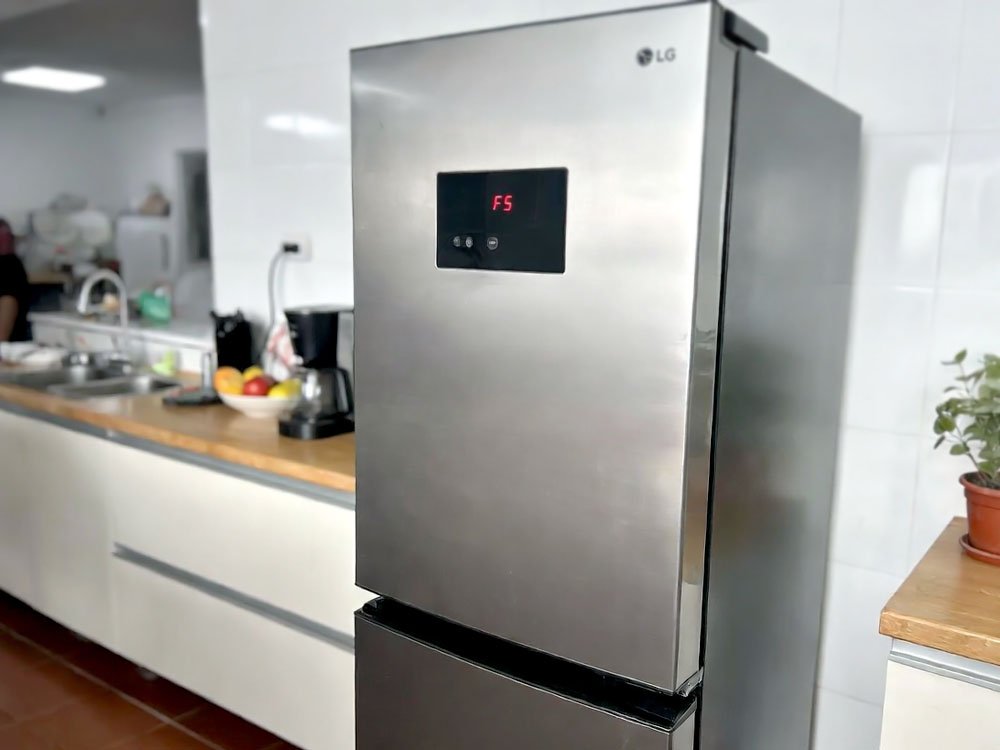
Why Does My LG Refrigerator Show the F5 Error?
The F5 code usually means there is a problem with your freezer fan motor. This fan is the heart of your cooling system because it pushes cold air into every corner. When the board doesn’t feel the fan spinning, it gets scared and throws this error at you. Sometimes the fan is just stuck, but other times the motor has simply given up after years of hard work.
You might also see this happen if your freezer is way too full. If a bag of frozen peas blocks the air vents, the fan struggles to move. This extra stress can make the sensor think the motor is broken. I often find that a quick defrost solves the issue because it melts hidden ice. Ice buildup is the number one enemy of these little plastic fan blades.
If you hear a loud chirping or squealing sound before the code pops up, that is a huge clue. It means the bearings in the motor are dry or failing. You should act fast before the motor stops completely and your ice cream turns into soup. Check the wires too, as a tiny loose connection can trick the fridge into thinking the fan is gone.
- Check if the fan blades are hitting a chunk of ice.
- Listen for clicking sounds coming from the back of the freezer.
- Make sure your freezer door was not left open by mistake.
- Look for any frost buildup on the back wall of the freezer.
- Unplug the fridge to let the control board clear its memory.
- Test the door switch to ensure it knows the door is shut.
6 Steps to Fix Your LG Refrigerator Error Code F5 the Easy Way
Step 1: Perform a Hard Power Reset
The first thing I always do is a hard reset. It sounds fancy, but it just means pulling the plug for a bit. Computers in fridges can get “confused” by a power spike or a quick flicker in your house lights. Giving it a five-minute break lets the electricity drain out of the boards and starts the software fresh.
I have seen this fix about thirty percent of the calls I go on. It feels like magic, but it’s just letting the hardware catch its breath. While the power is off, take a second to breathe too. If the code comes back right away after you plug it in, then we know we have a real part to fix.
Don’t rush this step by only waiting ten seconds. You need a full five minutes to be sure the capacitors are empty. If you can’t reach the plug, just flip the circuit breaker in your garage. This is the easiest way to start your repair journey without tools.
- Pull the fridge away from the wall slowly.
- Unplug the power cord from the outlet.
- Wait at least five to ten minutes.
- Plug it back in and watch the display.
Step 2: Clear Out the Ice Buildup
Ice is a sneaky villain in the world of appliances. If your freezer door was cracked open for an hour, humid air got inside and turned into frost. This frost can build up around the fan blades until they can’t move anymore. When the motor tries to spin and fails, the LG Refrigerator Error Code F5 appears to protect the motor.
I tell my friends to use a hair dryer, but be very careful with the heat. You don’t want to melt the plastic walls of your fridge. Hold the dryer back a few inches and move it constantly. Once the ice melts, you might see the fan start to wiggle or spin freely again.
An “insider tip” is to check your door gasket for any gaps. If you can slide a dollar bill through the door seal, air is getting in. That air will keep making ice, and you will see the F5 code again next week. Always keep your seals clean and sticky.
- Remove all food from the freezer section.
- Look for ice around the vents in the back.
- Use a hair dryer on a low heat setting.
- Wipe up any water with a dry towel.
Step 3: Inspect the Freezer Fan Motor
Now we are getting into the real mechanics of the machine. You will need to take off the back panel inside your freezer to see the fan. Usually, it is just a few screws holding that plastic cover in place. Once it’s off, try to spin the fan with your finger to see if it moves smoothly.
If the fan feels stiff or crunchy, the motor is toast. These motors use a tiny bit of oil that can dry out over many years. As a pro, I sometimes see people try to oil them, but that is a temporary fix. It is much better to just buy a new fan motor and swap it out.
When you pull the old motor out, look at the wire harness. If the pins look burnt or green, you have a moisture problem. Make sure the new motor clicks in tight so the vibration doesn’t shake it loose. This part is usually pretty cheap and easy to find online.
- Unscrew the back panel inside the freezer.
- Unplug the small wire clip from the motor.
- Pull the fan blade off the old motor shaft.
- Install the new motor in the same spot.
Step 4: Check the Top Door Wiring
Most people forget that wires run through the hinges of their fridge doors. LG fridges have a plastic cover on the top left or right hinge. If you unscrew that cover, you will see a bundle of wires with white plastic plugs. Sometimes these plugs wiggle loose when you open and close the door thousands of times.
I once fixed a fridge in two minutes just by pushing a loose plug back together. It's a great feeling when you don’t have to buy any parts. Take a look at the wires to see if any are pinched or frayed. A broken wire will definitely cause an F5 error because the signal can’t reach the brain.
If the wires look okay, try unplugging the connector and plugging it back in anyway. This can scrape off any tiny bit of corrosion that you can’t see with your eyes. It is a simple “pro” trick that works more often than you would think.
- Locate the plastic hinge cover on top.
- Remove the single screw holding the cover.
- Check the wire harness for any loose fits.
- Ensure no wires are cut or pinched.
Step 5: Clean the Condenser Coils
You might wonder why dirty coils under the fridge would cause a fan error in the freezer. When the coils are covered in pet hair and dust, the whole system runs too hot. This heat makes the freezer fan work double time to keep things cold. Eventually, the fan gets tired or the control board gets too warm.
Get a vacuum or a long skinny brush and go to town on those coils. You will probably find a thick layer of “grey blankets” made of dust. Once the coils are shiny again, the fridge won’t have to work nearly as hard. This lowers the stress on every single part inside.
I recommend doing this every six months if you have a dog or a cat. It's the best way to make your fridge last twenty years instead of five. A clean fridge is a happy fridge, and it usually stays error-free.
- Remove the bottom front grille of the fridge.
- Use a vacuum hose to suck up dust.
- Use a coil brush to reach the back.
- Wipe the floor under the fridge as well.
Step 6: Test the Main Control Board
If you have checked the fan and the wires, the “brain” might be the problem. The main control board is usually on the back of the fridge behind a metal plate. This board sends power to the fan, and if a tiny part on the board blows out, the fan dies. You can check this if you have a multimeter tool.
Check the voltage coming out of the board heading to the fan. If the board is sending 12 volts but the fan isn’t moving, the fan is bad. If the board is sending zero volts, then the board itself has failed. Replacing a board is just like changing a Lego piece.
My “insider tip” is to look for any black smudge marks on the board. A smudge usually means a part popped or shorted out. If you see that, you don’t even need a meter to know it’s broken. Just order a new board and plug the wires into the same spots.
- Find the metal access panel on the back.
- Look for any burnt smells or marks.
- Check the wire connections for tightness.
- Replace the board if no power leaves it.
Is the F5 Error Code Always a Broken Fan?
Not always, but it usually points in that direction. In some rare cases, a bad temperature sensor can trick the fridge into showing an F5. The sensor tells the board how cold it is, and if the board gets a weird signal, it might think the fan is failing. However, 90 percent of the time, it really is just the fan motor or ice blocking it.
I have also seen the main control board cause this when it gets a “glitch” in its programming. That is why I always tell people to try the power reset first. It saves you from buying a fan you don’t actually need. Another weird cause is a blocked drain line that causes water to freeze right where the fan sits.
Always check the simplest things first before you spend money. A dirty coil or a blocked vent is free to fix. Even if the fan is actually broken, it is one of the easier parts to replace yourself. You can do this with just a screwdriver and a little bit of patience.
- The fan might be fine but just stuck in ice.
- A loose wire at the hinge can cause it.
- The control board might have a software error.
- A blocked air vent can mimic a fan failure.
- The door switch might be broken or stuck.
- The defrost heater might not be melting ice.
Final Thoughts
Fixing the LG Refrigerator Error Code F5 is something you can totally handle. You don’t need to be an engineer to unplug a cord or melt some ice. Just take your time and follow the steps I shared with you. Most of the time, a simple reset or a quick cleaning will get your fridge back to being cold and quiet. You’ve got this, so go save those steaks!
| Problem Area | Possible Cause | Easy Fix |
| Freezer Fan | Ice buildup | Use a hair dryer to melt frost |
| Fan Motor | Motor failure | Buy and install a new motor |
| Wiring | Loose hinge plug | Push the wire harness together |
| Control Board | Power surge glitch | Unplug the fridge for 5 minutes |
| Airflow | Vents are blocked | Rearrange the food in your freezer |
| Coils | Dust and pet hair | Vacuum the coils under the fridge |
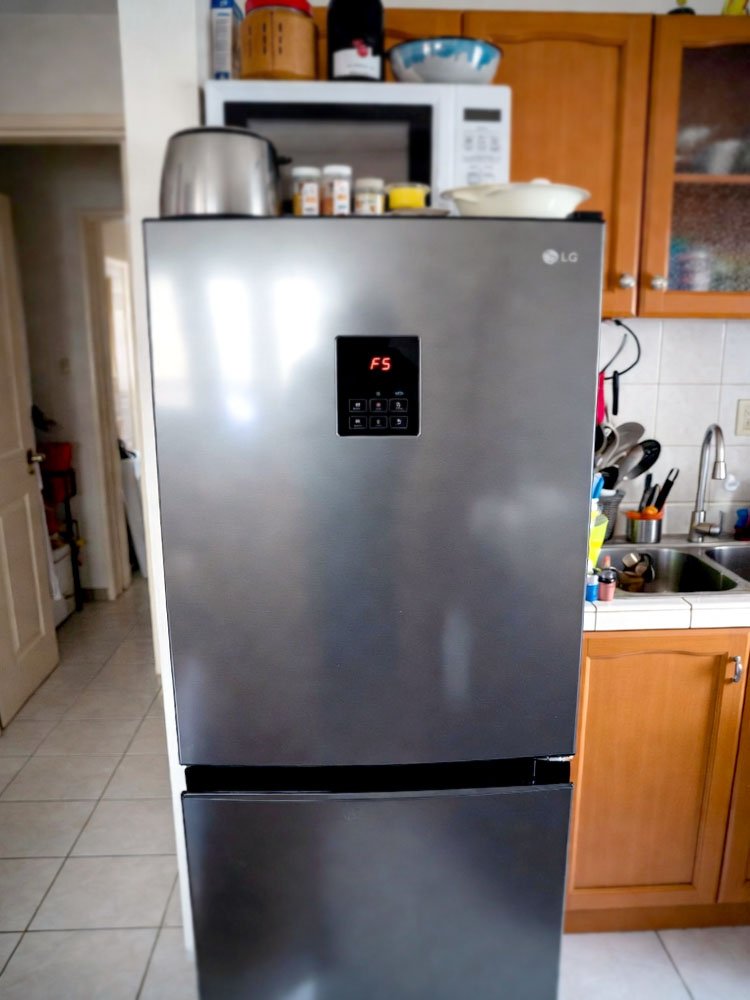
Frequently Asked Questions (FAQs)
Is it safe to leave my fridge on with the F5 code?
It is not a good idea to leave it on for long. The F5 code means your freezer fan is not working, so the fridge will start to get warm inside. Your food will spoil within a few hours if the air stops moving. You should try to fix it or move your food to a cooler right away.
Can I fix the F5 error without any tools?
You can try the power reset first, which requires zero tools. Just unplug the unit from the wall and wait for five minutes. If the error was just a small glitch, this will clear the code. If it comes back, you will likely need a screwdriver to check the fan or the wiring.
Do I need to buy a new refrigerator?
Most of the time, you do not need a new fridge. An F5 error usually involves a fan motor or a control board. These parts are much cheaper than buying a whole new appliance. Most people can replace a fan motor for a small fraction of the cost of a new LG unit.
Can ice cause the F5 error code?
Yes, ice is a very common cause for this specific error. If ice builds up around the fan blades, the fan cannot spin. The fridge senses that the fan is stuck and shows the F5 code to protect the motor from burning out. Melting the ice often fixes the problem completely.
Is the F5 error common in LG refrigerators?
It is a fairly common error for older models or fridges in humid areas. Over time, fans can wear out or ice can build up. It doesn’t mean your fridge is bad, it just means it needs a little bit of maintenance. Keeping the coils clean and the door shut helps prevent this error.
Can a power outage cause an F5 code?
Yes, a sudden power outage can scramble the brain of your fridge. When the power comes back on, the control board might show the F5 code as an error. In this case, unplugging the fridge and plugging it back in usually clears the code and everything goes back to working normally.
Do I need to defrost the whole fridge?
You don’t always have to defrost the entire thing, but it helps. If you have a backup fridge, letting the LG sit unplugged with the doors open for 24 hours is a great “reset.” This ensures every bit of hidden ice is gone. It is the most thorough way to fix an ice-related F5.
Can I use a hair dryer on the fan?
You can use a hair dryer, but you must be very careful. Only use the low or medium heat setting and keep the dryer moving. If you hold it in one spot for too long, you might warp the plastic inside your freezer. It is a fast way to melt ice if you are careful.
