
As an Amazon Associate, I earn from qualifying purchases at no extra cost to you.
Samsung Refrigerator Error Code 41 and How to Fix it Fast

It all comes down to that tiny blinking light on your screen that ruins your morning. I've seen this Samsung refrigerator error code 41 pop up on hundreds of service calls. Your fridge stops cooling and you start worrying about the milk spoiling. Don't panic yet because I'll show you how to clear this code and save your groceries today.
First you should unplug your fridge for five minutes to try a hard reset. Check the wiring on top of the door hinge to see if any cables are loose or pinched. Look at the display panel for any moisture or spills that might cause a short circuit. Clean the dust off the back of the fridge to help the sensors work better. Use a hair dryer on a low setting if you see ice near the door seal. Call a friend to help you tilt the fridge if you need to check the bottom wires.
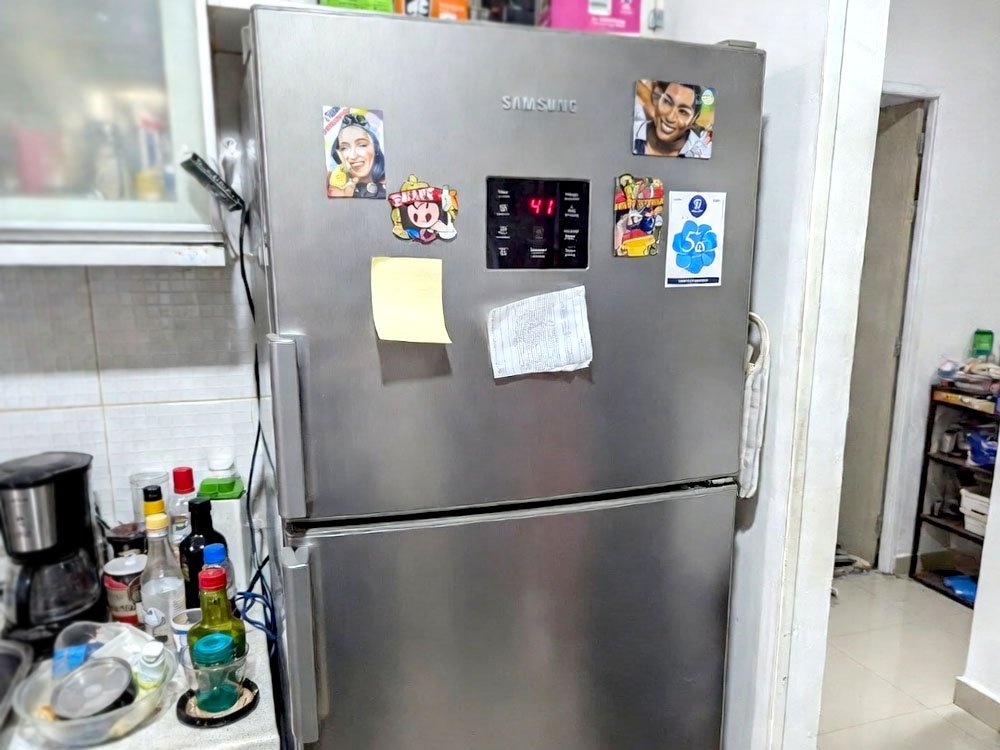
Why Does my Samsung Refrigerator Error Code 41 Keep Showing up on the Screen?
This error usually means there is a “communication break” between the main brain of the fridge and the door. It happens a lot after a power outage or if you just moved the fridge. The wires that run through the top hinge are very thin and can get caught easily. Sometimes the fridge just gets confused and needs a quick “brain scrub” to start fresh.
I often find that people accidentally bump the top of the fridge with heavy boxes. This small hit can wiggle the wire harness just enough to lose the signal. It doesn’t mean your fridge is dead or broken forever. It just means the inside computer can’t “talk” to the outside display anymore. Most of the time, it’s a simple connection fix that takes ten minutes.
If you see this code after cleaning, you might have gotten some water inside the door panel. Electronics and water are not friends at all. You need to make sure everything is bone dry before the code will go away. If the code stays after a reset, we have to look deeper at the hardware.
- Check the top door hinge cover for loose screws.
- Look for any frayed or broken colored wires.
- Ensure the fridge is plugged into a wall outlet, not a power strip.
- Listen for a clicking sound coming from the back.
- Feel if the fridge is getting too warm inside.
- Watch if the display flickers when you open the door.
How to Fix the Samsung Refrigerator Error Code 41 Using Simple Tools at Home
Reset the Entire System First
I always tell my customers to try the easiest thing first. Modern fridges are like giant computers that occasionally freeze up. When the software gets a glitch, it throws out a random code like 41. You just need to cut the power to let the capacitors drain completely. This is the “magic trick” that fixes half of the calls I go on.
Unplug the cord from the wall and wait at least ten minutes. While you wait, go grab a cup of coffee and let the machine rest. This gives the control board time to forget the error. When you plug it back in, the system starts a fresh scan of all the parts. If it was just a temporary glitch, the code will vanish.
If your fridge is built-in and you can’t reach the plug, use the circuit breaker. Flip the switch in your basement or garage to “off” and then back to “on.” This does the exact same thing as pulling the plug. It's a clean slate for your appliance.
- Wait a full ten minutes for a total reset.
- Don’t keep flipping the power on and off quickly.
- Keep the doors closed to save the cold air.
- Check the display immediately after the power returns.
Inspect the Door Wire Harness
The wires for your fridge live inside the top hinge of the door. To see them, you usually have to unscrew a small plastic cover on the top left or right. Be gentle because these wires are thinner than a shoe string. I often see wires that got pinched when the door was installed or moved. A tiny nick in the plastic coating can cause a big headache.
You should unplug the plastic clip that connects the wires and then plug it back in. Sometimes the pins inside the clip get a little bit of corrosion or dust. Pushing them together firmly ensures a solid “handshake” between the parts. If you see a wire that is totally snapped, you might need to strip the ends and twist them back together.
Use a bit of electrical tape to wrap any wire that looks flattened or stressed. I like to tuck the wires neatly back into the hole so the plastic cover doesn’t crush them again. It's all about making sure the signal has a clear path to travel. If the wires look perfect, then the issue is likely inside the board itself.
- Remove the single screw holding the hinge cover.
- Unplug the wire connector and blow out any dust.
- Look for “kinks” or sharp bends in the wire.
- Ensure the connector clicks loudly when you put it back.
Check for Moisture in the Display
Water is the enemy of your fridge’s display panel. If you use a very wet cloth to wipe down the front, some drops can seep behind the buttons. This causes a “ghost” signal that triggers the error code 41. I've seen this happen after a big party where drinks were splashing near the ice dispenser. It's a very common human mistake.
You can try using a hair dryer on a cool or very low heat setting. Point it at the cracks around the buttons for a few minutes. This helps evaporate any hidden moisture that you can’t reach with a towel. Don’t use high heat because you might melt the plastic or ruin the screen. Just a gentle breeze is enough to dry things out.
If the fridge is in a very humid garage, this code might pop up more often. You might need to move the fridge to a drier spot or run a dehumidifier. Electronics need to stay dry to keep the communication lines open. Once the moisture is gone, the code usually clears itself.
- Dry the display with a soft microfiber cloth.
- Use a fan to blow air onto the panel for an hour.
- Avoid using spray cleaners directly on the screen.
- Check if the ice chute is leaking water upwards.
Examine the Main Control Board
The main board is the “brain” located in a metal box on the back of the fridge. You will need a screwdriver to remove the back panel to see it. Before you touch it, make sure the fridge is definitely unplugged. One small spark can ruin the whole board and cost you hundreds of dollars. I always touch a piece of metal first to discharge any static from my body.
Look at the green board for any black burn marks or “puffy” looking cylinders. If you see anything that looks melted, the board has failed. However, sometimes the wires just came loose from the vibration of the motor. Give each wire bundle a tiny tug to make sure it is seated deep in its socket. It's a very satisfying fix when you feel a loose wire click into place.
Sometimes a bug or a piece of debris gets onto the board and causes a short. Clean it off with a can of compressed air like you use for a computer keyboard. Don’t use a vacuum or a brush because they create static electricity. A clean board is a happy board that won’t show you scary error codes.
- Unscrew the back access panel carefully.
- Look for burnt smells or dark spots on the green board.
- Push every connector to make sure it is tight.
- Keep pets away while the back of the fridge is open.
Look at the Inverter Board
Some Samsung models have two boards, and the smaller one is the inverter board. This part controls the compressor and tells it how fast to run. If this board can’t talk to the main board, it might trigger the 41 error. It's usually located right next to the big main board. It's a smaller square with fewer wires coming out of it.
Check the little LED light on the inverter board if your model has one. If it's blinking in a pattern, that is a secret message for repair guys. If the light is totally off, the board might not be getting any power at all. Make sure the wires connecting the two boards are not burnt or loose. This path is vital for the fridge to stay cold.
I've found that a power surge from a thunderstorm often kills this specific part. If you had a storm recently, this is likely your culprit. Replacing this board is usually pretty easy since it just snaps into place. You just have to make sure you buy the exact match for your model number.
- Locate the smaller board near the compressor.
- Count the blinks on the diagnostic light if present.
- Check the fuse if your board has a visible one.
- Ensure the ground wire is screwed down tightly.
Test the Wall Outlet Voltage
Sometimes the fridge isn’t the problem at all; it’s your house. If the wall outlet isn’t giving steady power, the fridge computer gets “dizzy.” It sees a drop in voltage and thinks a part has failed. I always carry a small tester to check the outlet before I tear the fridge apart. You'd be surprised how often a bad outlet is the real villain.
If you have too many appliances on one circuit, the fridge might struggle. Try moving your toaster or microwave to a different wall if they are on the same line. A fridge needs a lot of “juice” to start the motor. If it doesn’t get enough, the communication signal drops out and shows the error. It's a simple fix that costs zero dollars.
You can also try plugging a lamp into the same outlet. If the lamp flickers or looks dim, your outlet is faulty. You might need an electrician to tighten the wires behind the wall. Once the power is steady, the fridge will stop complaining. It's always good to rule out the easy stuff before buying expensive parts.
- Plug a different device into the outlet to test it.
- Check if the plug feels hot to the touch.
- Look for soot or brown marks on the outlet holes.
- Ensure the plug is pushed all the way into the wall.
Can I Still Use my Fridge while the Samsung Refrigerator Error Code 41 is On?
You can keep using it for a short time if the inside is still cold. However, this code often means the fridge will stop “cycling” the cooling. This means the temperature will slowly rise until your food gets warm. I suggest you put a thermometer inside to keep a close eye on the numbers. If it goes above 40 degrees, your food is in the danger zone.
Most people find that the ice maker stops working first when this code hits. Then the lights might stop turning on when you open the door. It's basically the fridge going into a “limp mode” to protect itself. You shouldn’t ignore it for more than a day or two. The longer you wait, the more likely you are to lose a full freezer of expensive meat.
If the fans are still spinning, you have a little more time to troubleshoot. But if the fridge is silent, you need to act fast. Move your most important items like milk and eggs to a cooler with ice. It’s better to be safe than to end up with food poisoning. This code is a warning that you shouldn’t take lightly.
- Check the internal temperature every few hours.
- Move dairy and meat to a backup cooler.
- Avoid opening the doors too much to keep the cold in.
- Listen for the sound of the fan running.
- Check if the “Power Cool” button does anything.
- See if the freezer items are starting to soften.
Final Thoughts
I hope this guide helps you get your kitchen back to normal quickly. Dealing with a samsung refrigerator error code 41 feels stressful, but you've got this! Most of the time, a simple reset or a quick check of the door wires fixes the whole thing. Just take your time, stay safe, and remember to unplug the power before you touch any wires. You are totally capable of handling this yourself!
| Troubleshooting Step | Time Needed | Difficulty Level | Tool Required |
| Hard Power Reset | 10 Minutes | Very Easy | None |
| Hinge Wire Check | 15 Minutes | Easy | Screwdriver |
| Drying the Display | 20 Minutes | Easy | Hair Dryer |
| Control Board Inspection | 30 Minutes | Medium | Screwdriver |
| Outlet Voltage Test | 5 Minutes | Easy | Multimeter or Lamp |
| Inverter Board Check | 30 Minutes | Medium | Screwdriver |
Frequently Asked Questions (FAQs)
Is it safe to fix the error code 41 myself?
Yes, it is very safe as long as you unplug the fridge first. Most of the steps involve just looking at wires or resetting the power. You don’t need to be a pro to check a plastic clip or dry a screen. Just stay calm and don’t touch live wires while the plug is in the wall.
Can a power outage cause this error code?
Do I think a power surge is the cause? Absolutely. When the power snaps back on, it can send a “spike” that confuses the fridge sensors. This is the most common reason I see for this code. A simple reset usually clears it right up after the grid is stable again.
Do I need to buy a new control board immediately?
No, you should not rush to buy parts yet. New boards can be very expensive and might not be the problem. Always try the reset and wire check first. I've seen many people waste money on a board when they just had a loose wire in the door hinge.
Is there a “secret” button combo to reset the code?
Can you use buttons to fix it? On some models, you can hold the “Energy Saver” and “Lighting” buttons for 10 seconds. This forces the display to reboot. If your model doesn’t have those, try the “Freezer” and “Fridge” buttons together. It’s a quick way to skip the unplugging step.
Can a dirty condenser coil trigger code 41?
Usually, dirty coils cause a different code, but they can make the system overheat. If the system gets too hot, the computer might start acting weird. It is always a good idea to vacuum the dust under your fridge once a year. It keeps the whole machine running much smoother.
Do I have to remove the fridge door to check wires?
No, you don’t have to take the whole door off. You just need to remove the small plastic cap on the very top. The wires sit right there in a little pocket. It is much easier than it looks. Just be careful not to drop the tiny screws into the floor vent.
Is the error code 41 specific to only Samsung?
Every brand has its own codes, but 41 is a classic Samsung signal. It specifically points to the communication line. Other brands might use a different number for the same problem. If you have a Samsung, this is definitely the guide you need to follow for your fix.
Can I use a blow dryer on the control board?
Do I recommend using heat on the brain of the fridge? Only if you see visible moisture. Use the “cool” setting only. High heat can damage the solder joints on the board. A gentle fan is usually a better choice if you think the back of the fridge got wet.
