
As an Amazon Associate, I earn from qualifying purchases at no extra cost to you.
Buzzing Sound in Your Bathroom? 5 Causes and Which Are Risky

Never ignore a new, strange noise coming from your walls or ceiling. A buzzing sound usually means something electrical or mechanical is struggling, which can lead to bigger problems if you leave it alone. You’ll want to find the source before it gets worse. It’s often just a minor annoyance, but you should take it seriously.
The most common cause is a loose or failing part inside your exhaust fan. Turn on the fan, and listen closely to see if the noise changes or stops when you hold the cover steady. If that doesn’t work, you’ll need to check the wiring or the motor itself for loose connections.
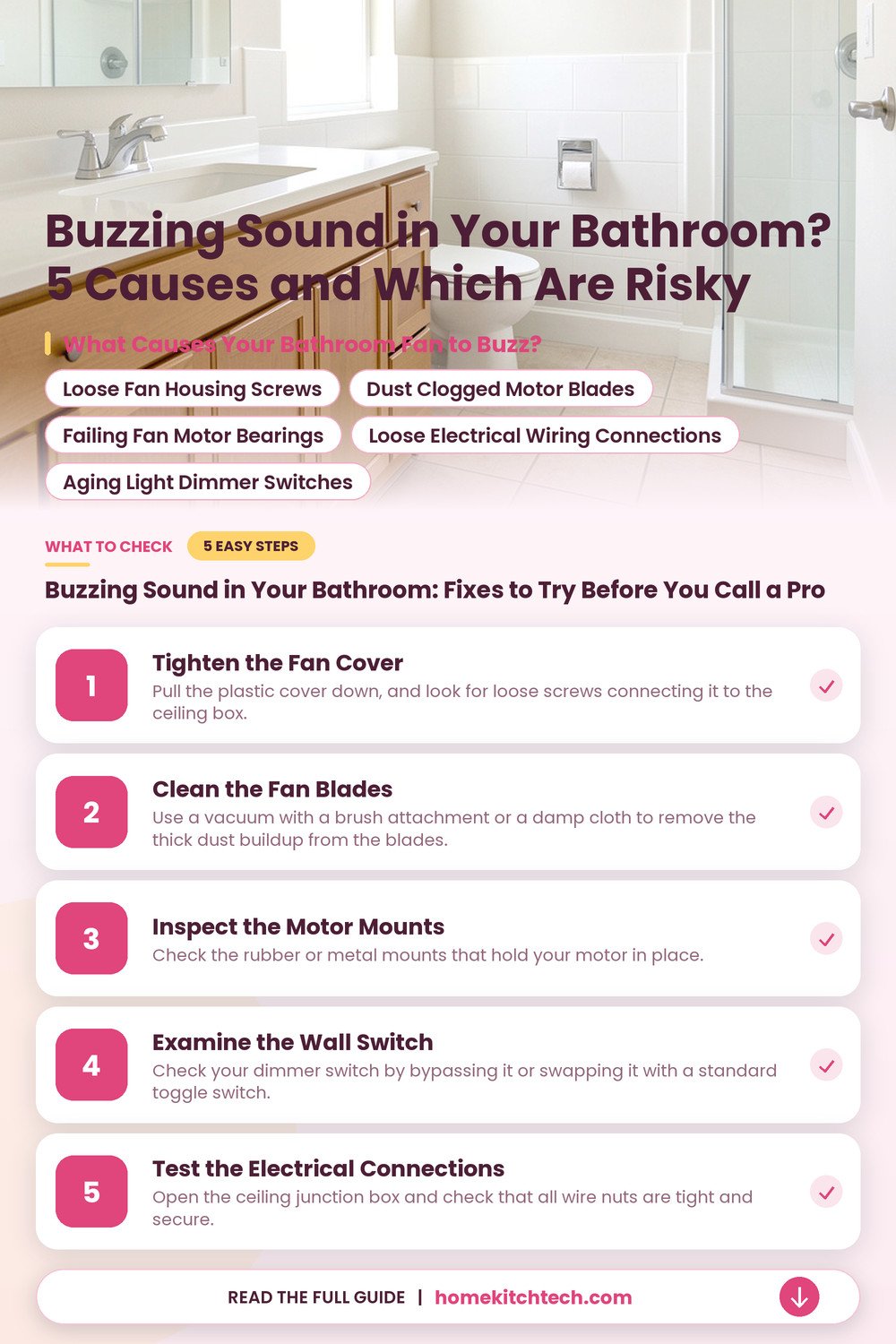
What Causes Your Bathroom Fan to Buzz?
You’ll hear a buzz when a part inside your vent fan vibrates against the housing, or when an electrical component fails. This noise happens because the motor, which spins the blade, loses its balance or encounters resistance. It’s often just a minor annoyance that you can fix with a simple tool.
Loose Fan Housing Screws
Your fan housing screws often vibrate against the ceiling drywall if they have rattled loose over time. You’ll notice the sound gets quieter if you press your hand firmly against the plastic cover. Tighten those screws to stop the movement, and you’ll quickly silence the vibration.
Dust Clogged Motor Blades
Layers of dust and lint build up on your fan motor blades, which throws off their balance as they spin. This uneven weight creates a rhythmic buzzing sound that grows louder as the motor works harder to keep moving. Clean the blades to restore balance, and you’ll quiet the machine.
Failing Fan Motor Bearings
The small bearings inside your motor wear out after years of use, and they begin to grind as they turn. You’ll hear a persistent, metallic hum that doesn’t go away even after you clean the unit. Replace the motor or the whole fan assembly, as this fixes internal wear.
Loose Electrical Wiring Connections
Wired connections can sometimes vibrate against a metal box if they aren’t secured tightly. You’ll hear a sharp, electrical buzz that might even flicker if the connection is poor. Turn off your breaker before you touch any wires, as this lets you check for loose nuts.
Aging Light Dimmer Switches
Your wall switch might be the culprit if you hear the buzz coming from the wall instead of the ceiling. Some older dimmer switches cause a hum when they struggle to manage the power sent to your fan or lights. Swap the switch for a new model, and you’ll stop the noise.
Buzzing Sound in Your Bathroom: Fixes to Try Before You Call a Pro
You’ll need a screwdriver, a flashlight, and a non-contact voltage tester to investigate the noise safely. Expect this process to take about 30 to 45 minutes, as you inspect the fan and the switch. Always turn off the power at the breaker before you open anything.
Tighten the Fan Cover
Pull the plastic cover down, and look for loose screws connecting it to the ceiling box. These fasteners often vibrate loose because of the constant motion of the fan motor. Use a screwdriver to snug them up, but be careful not to crack the plastic housing. It’s a quick fix.
You’ll find that a tight cover stops most rattles, but don’t over-tighten the screws. If the plastic feels brittle, replace the fan cover screws with new ones from the hardware store. This small step keeps the unit steady while it runs.
Clean the Fan Blades
Use a vacuum with a brush attachment or a damp cloth to remove the thick dust buildup from the blades. If you can reach them, wipe each blade carefully, as this keeps them balanced and smooth. You’ll notice the motor runs much quieter once the extra weight is gone.
Dust often hides in the corners of the blades, so use a soft brush to get into those tight spots. Check the motor housing for debris too, as even small bits can cause a vibration. A clean fan is a quiet fan.
Inspect the Motor Mounts
Check the rubber or metal mounts that hold your motor in place. If one has snapped or slipped, the motor will tilt and buzz against the side of the housing. You can often push these back into place or replace the rubber grommets to stop the rattling.
- Turn off the breaker to ensure your safety before touching the motor.
- Use a voltage tester to verify the power is off at the wires.
- Replace any damaged rubber mounts to stop the motor from vibrating around.
- Call a licensed electrician if you smell burning or see melted plastic.
Examine the Wall Switch
Check your dimmer switch by bypassing it or swapping it with a standard toggle switch. If the buzzing stops, the dimmer was likely incompatible with the motor load. A simple standard wall switch usually solves this problem for just a few dollars.
If the wall itself still hums after you swap the switch, look for loose wiring inside the gang box. A loose wire can vibrate against the box, creating a sound that mimics a mechanical buzz. Secure the wires, and you’ll likely fix the issue.
Test the Electrical Connections
Open the ceiling junction box and check that all wire nuts are tight and secure. Loose wires can spark or vibrate, creating a sound that mimics a mechanical buzz. Make sure no exposed copper wires are touching the metal box, which creates a dangerous short circuit.
Check that the box is mounted firmly to the ceiling joists, as a loose box will rattle. If the box moves when you push it, add a screw to secure it to the wood. A solid box won’t vibrate, which keeps your bathroom nice and quiet.
Can I Fix a Loud Bathroom Fan Noise Without Tools?
Most of the time, you need a screwdriver to open the case and see what’s wrong. You can often stop a simple rattle by pushing firmly on the plastic grill cover to see if it seats better against the ceiling. If the sound stops when you apply pressure, you know the vibration is just a loose connection.
Call a pro if you hear a grinding sound that doesn’t change when you touch the unit. This often means the internal motor bearings are dying, which is a job for someone with the right gear. You’ll save yourself a headache by knowing when to stop, so let an expert take over.
Why Does My Bathroom Fan Make Noise After Running for Years?
Age eventually takes a toll on the fan motor assembly as parts wear down. Your bathroom is a damp, humid room that speeds up the decay of metal and plastic components. Over time, the lubricant inside the bearings dries out, which leads to that annoying hum you hear every day.
Heat from the motor can also warp the plastic blades over long periods of use. You might notice the fan wobbles slightly as it spins, creating an uneven sound that echoes through your ceiling. Consistent exposure to steam often causes rust to form on internal parts, making them rub together as the fan rotates.
Check for signs of rust or warped plastic blades, as these issues indicate the unit is nearing the end of its life. If the blades are brittle, you should replace them soon. A failing fan can eventually stop spinning altogether, which leaves your bathroom damp and prone to mold.
- Old bearings often lose grease and start to grind loudly.
- Humid air causes rust to build up on moving metal parts.
- Warped blades hit the housing because the plastic loses its shape.
- Dust buildup makes the motor work harder than it should have.
How Much Does It Cost to Stop a Bathroom Fan From Buzzing?
You can usually fix a minor rattle for free with just a few minutes of your time. Tighten a loose screw or clear away debris, which takes almost no money if you own a basic toolkit. This simple step often solves the problem if the issue is just a loose mounting bracket screw.
A new replacement fan motor typically costs between $50 and $150, depending on the brand. You’ll pay more if you decide to swap out the entire unit for a quieter model. Many people find that changing the motor is a manageable task, so check the instructions in the manual.
Replace the internal parts yourself to spend about 30 to 60 minutes on the job. It’s a fiddly task that requires you to work above your head, so use a sturdy ladder. If you hire a professional to do it, the total labor cost will add another $100 to $200 to your bill.
Is It Dangerous If My Bathroom Fan Makes a Buzzing Sound?
Don’t ignore a buzzing sound that comes with a burning smell, as this indicates a serious electrical wiring fault in your home. Turn off the circuit breaker immediately, and check the wiring with a tester before you touch anything. A short circuit can get hot enough to melt insulation or start a fire.
Shut the power off if you hear a buzz, because running the fan can damage the wiring inside your wall. This is much harder to fix than a simple motor. Treat strange noises as a warning that your system needs attention before it fails.
Inspect the unit for any signs of heat damage, such as dark spots or melted plastic on the cover. Keep the power off and call a pro right away if you see these signs. Your safety is worth more than a working fan.
- Turn off the breaker to keep your hands safe from shocks.
- Use a voltage tester to confirm the power is really off.
- Look for blackened wires that show signs of heat or melting.
- Call a licensed electrician if you see damaged or frayed wires.
Does the Brand of My Bathroom Fan Change How I Fix It?
Yes, because some high-end units have parts that you can’t buy at a local hardware store. You’ll need to check the manufacturer’s website for specific replacements if your fan is a custom built model or a high-end unit. Some brands use a snap-in design that makes swapping the motor very easy for you.
Older fans often have parts that are no longer in production, so you’ll likely need to replace the whole housing. Measure the size of your current fan box before you buy a new one, as this helps you find a perfect fit replacement for the ceiling hole. That way, you avoid cutting your ceiling drywall to make the new unit work.
Final Thoughts
A buzzing bathroom fan is usually just a cry for help from a dirty or loose part. You can resolve most of these issues by tightening a few screws, or by clearing away dust. If the noise persists or you smell something strange, turn off the power and call a pro. Keep your fan clean, and you’ll likely enjoy a quiet bathroom.
| Symptom | Likely Cause | Easy Fix |
|---|---|---|
| Rattle | Loose cover | Tighten screws |
| Grind | Worn bearings | Replace motor |
| Hum | Dust buildup | Clean blades |
| Click | Broken switch | Replace switch |
| Squeal | Dry lubricant | Oil bearings |
| Vibration | Uneven mount | Adjust housing |
Frequently Asked Questions
Can I Spray Oil Into My Bathroom Fan to Stop the Noise?
Better not, because standard oil can attract more dust and make the problem worse. You’ll also risk creating a fire hazard if the oil gets on the electrical contacts. Skip the spray and clean the blades instead.
Is It Safe to Leave a Buzzing Bathroom Fan On?
No, you shouldn’t do that. It’s a sign that the motor is under stress, or the wiring is loose. You’ll risk a fire if you let it run in that state.
Do I Need to Replace the Whole Fan If It Buzzes?
Not always, as you can often just replace the motor or the fan wheel. Check your manual to see if the parts are sold separately, so you don’t have to rip out the entire housing.
Should I Use a Vacuum to Clean My Bathroom Fan?
Yes, you can use a vacuum with a soft brush attachment to remove dust. It’s a great way to keep the motor running smoothly, and you don’t even have to take the unit apart. Just make sure you turn the power off first.
Will a New Switch Stop the Buzzing Sound?
It depends, but a buzzing light switch often means it’s failing. If the sound comes from the wall, you’ll need to replace the switch. Make sure you match the amperage of your old switch when you buy a new one.
How Do I Know If the Motor is the Problem?
You’ll know if the noise continues, even after you tighten the housing and clean the blades. That’s a clear sign the internal parts are worn out, so you’ll need to swap the motor or call a pro to handle it.
